Proof 01
Product-output evidenceSynthetic source · actual O Studio output
One image. Two real enhancement passes.
O Studio Desktop reduced visible noise in the 640 × 480 source, then used that exact output to create the final 2560 × 1920 image. The comparison shows the original source against the final product output.

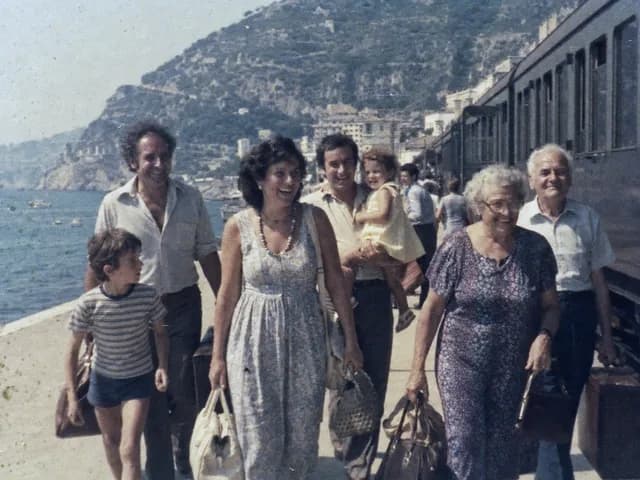
Use the arrow keys in one percent increments. Home shows the O Studio output; End shows the source. The source is synthetic and the result is the actual approved O Studio output.
The exact workflow chain
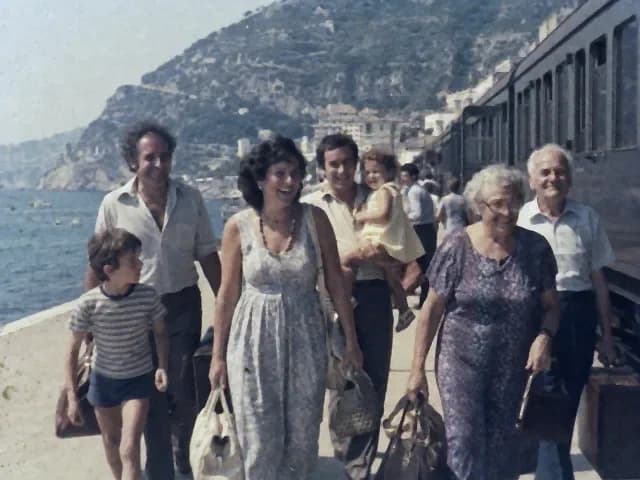
- 01 · Still Image DenoiseReduced visible noise at 640 × 480.
- 02 · Still Image UpscaleUsed step one as input and created 2560 × 1920.
Both steps ran in the installed Windows Desktop app. The media stayed local during this proof.
View workflow receipt
- Build boundary
- O Studio Desktop 1.0.1; installer SHA-256 6fcd42298849075b592fab832d165a051533197fc58c4d5237858a9077637674
- Proof scope
- Windows x64 packaged installed-app proof with the explicitly enabled 4K Upscale AI pack; no performance guarantee.
- Input SHA-256
- 7f5f8b725faf4f8376d5d20fd8f9b997c39f7b96918c1cf44224fba9e29c0f5f
- Output SHA-256
- 642ece16712dc62bd4226441c342c079b864b3db79f89d2128c29fdf57bd7d5e
- Receipt 1
- e55282966929a13685f1d0d971358483785e184ee3f247c4ec6a80de33e94c0c
- Input SHA-256
- 642ece16712dc62bd4226441c342c079b864b3db79f89d2128c29fdf57bd7d5e
- Output SHA-256
- c3600917226a5b85ba72b5f89eca60211ff1febcab325ca14fd0b12c1a8e7431
- Receipt 2
- ad53edb6cf8d180a8d3b1bb4579d171deb38cab5832516449bea12207f2d7352
Material limitations
- Balanced Still Image Denoise on one synthetic source; results vary.
- Noise reduction only; no HDR, color, restoration, or recovered-detail claim.
- Fast Still Image Upscale used the exact denoise output as its input.
- Output increased from 640x480 to 2560x1920; no recovered-detail claim.
- One synthetic source; results vary by source and settings.