




O Studio Desktop Beta
Run approved media workflows locally in O Studio Desktop Beta.
Explore Desktop workflowsOrganize, enhance, edit, and package video, audio, images, and captions with O Studio.
Controlled Windows Beta · Application required
Verified product output

Use the arrow keys in one percent increments. Home shows the O Studio output; End shows the source. The source is synthetic and the result is the actual approved O Studio output.
O Studio reduced visible noise, then created a larger local still-image output.
The displayed source is the exact registered 640x480 product input. Reviewed WebP encode of the exact 2560x1920 PNG product output; no retouching. The final WebP is a non-retouched presentation of the exact 2560x1920 PNG output.
Desktop Beta workflow families
How Desktop works
Choose the video, audio, image, or caption file you want to improve.
O Studio shows the available workflows and anything you need to install.
Choose the workflow and output settings.
Process the source media on your supported Windows PC.
Preview the result, then keep it or prepare it for delivery.
Your media stays local: Source media stays on this computer during Desktop local workflows.
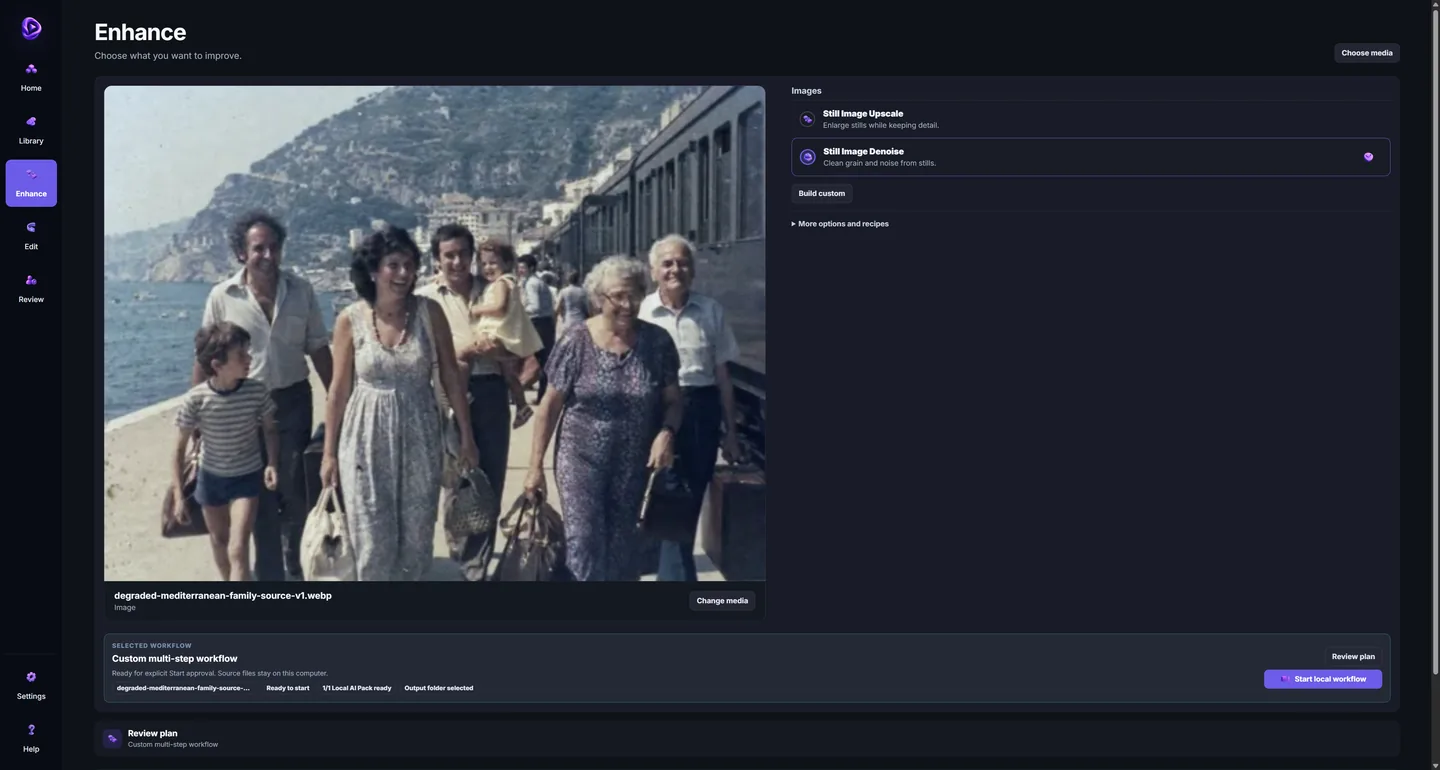
The current installed product UI shows the exact synthetic source, Still Image Denoise selected, a custom multi-step workflow, one Local AI Pack ready, and the local run control. It is a UI-state capture, not output-quality evidence.
One product family
Run approved media workflows locally in O Studio Desktop Beta.
Explore Desktop workflowsUse the authenticated O Studio Web workspace to organize media and plan, edit, and review work.
Sign in to O Studio WebTeams and archives · controlled pilot
O Studio helps creators, production teams, and archive owners organize, improve, edit, and package valuable media for new audiences.
Choose the right next action
Run approved media workflows locally in O Studio Desktop Beta.
Controlled Windows Beta · application required.Apply for Desktop BetaUse the authenticated O Studio Web workspace to organize media and plan, edit, and review work.
Authenticated workspace for planning, editing, and review.Sign in to O Studio Web Ask O Copilot